


Research Method
click on sections to skip
Contextual Inquiry
We conducted contextual inquiry interviews with two Columbia students—one regular gym-goer and one non-gym user—to understand their pain points and motivations around fitness. We shadowed them at the gym, observing how they navigated the gym equipment and their environment. Through conversations and observations, we identified the key barriers students face when trying to build a consistent fitness routine.
"I see people looking confused and stressed, and I want to help them, but I'm scared they'll think I'm being annoying or making them uncomfortable."
Regular Gym-Goer:
Notices beginners struggling but hesitates to offer help due to concerns about being intrusive or condescending.
Sometimes feels lonely with their structured routine and wishes for more social interaction.
Has organized workout routines and knows the gym layout well.
💬
"Working out alone made me lose consistency because I had nobody to drag me out to the gym. Eventually, I felt like I wasn't making progress and lost motivation to keep going."

Non-Gym User:
Does not know how to use the equipment and struggles to set up machines.
No motivation to go to the gym without a gym buddy or social support.
Feels too embarrassed and imitated at the gym to ask for help.
💬
Affinity Diagram
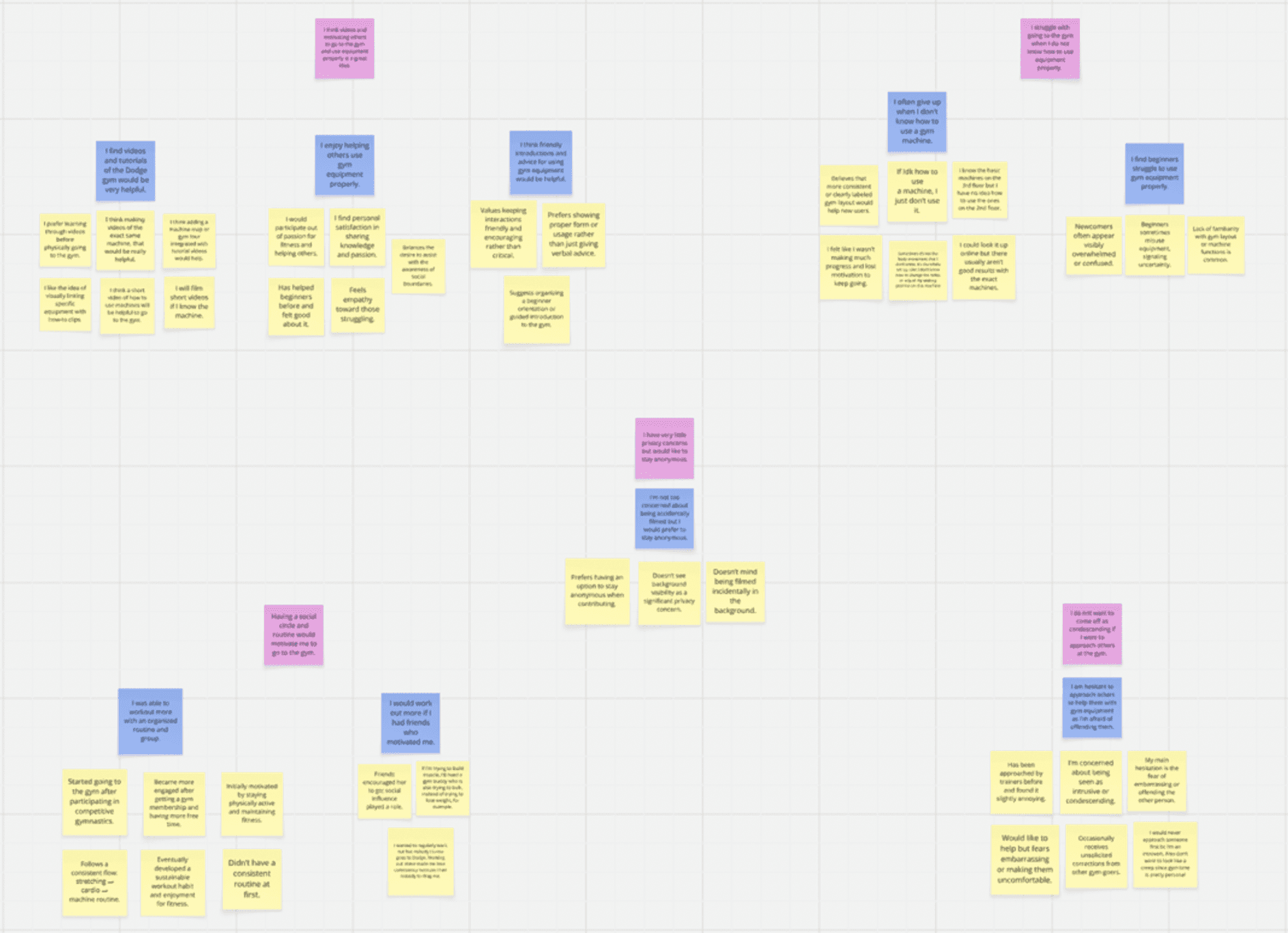
To synthesize our research findings, we interviewed 10 additional students—5 regular gym-goers and 5 non-gym users—and organized their responses into an affinity diagram. This helped us identify patterns and common themes across both groups.
How We Organized It:
Yellow sticky notes represent direct observations and user quotes from our interviews.
Blue sticky notes are summary labels we created to group related observations.
Pink sticky notes are the broader themes that emerged from clustering the blue labels.
Four Key Insights:
1
2
3
4
Equipment Knowledge Gap
Social Anxiety
Need for Short Form Tutorials
Students struggle to use machines because online tutorials don't match Columbia's exact equipment (different models).
Working out alone kills consistency. Having a workout buddy is the #1 factor that keeps students going.
Both gym-goers and beginners fear embarrassing themselves or looking awkward at the gym.
Gym Buddy Motivation
Students prefer short, visual tutorials they can quickly reference before using a machine.
Key Insight Moving Forward: Community & Support
Students struggle most when they feel alone. They need both a supportive community to motivate them and accessible help to build confidence. With a workout buddy and clear tutorials, they are more likely to stick with their fitness goals.
Journey Mapping
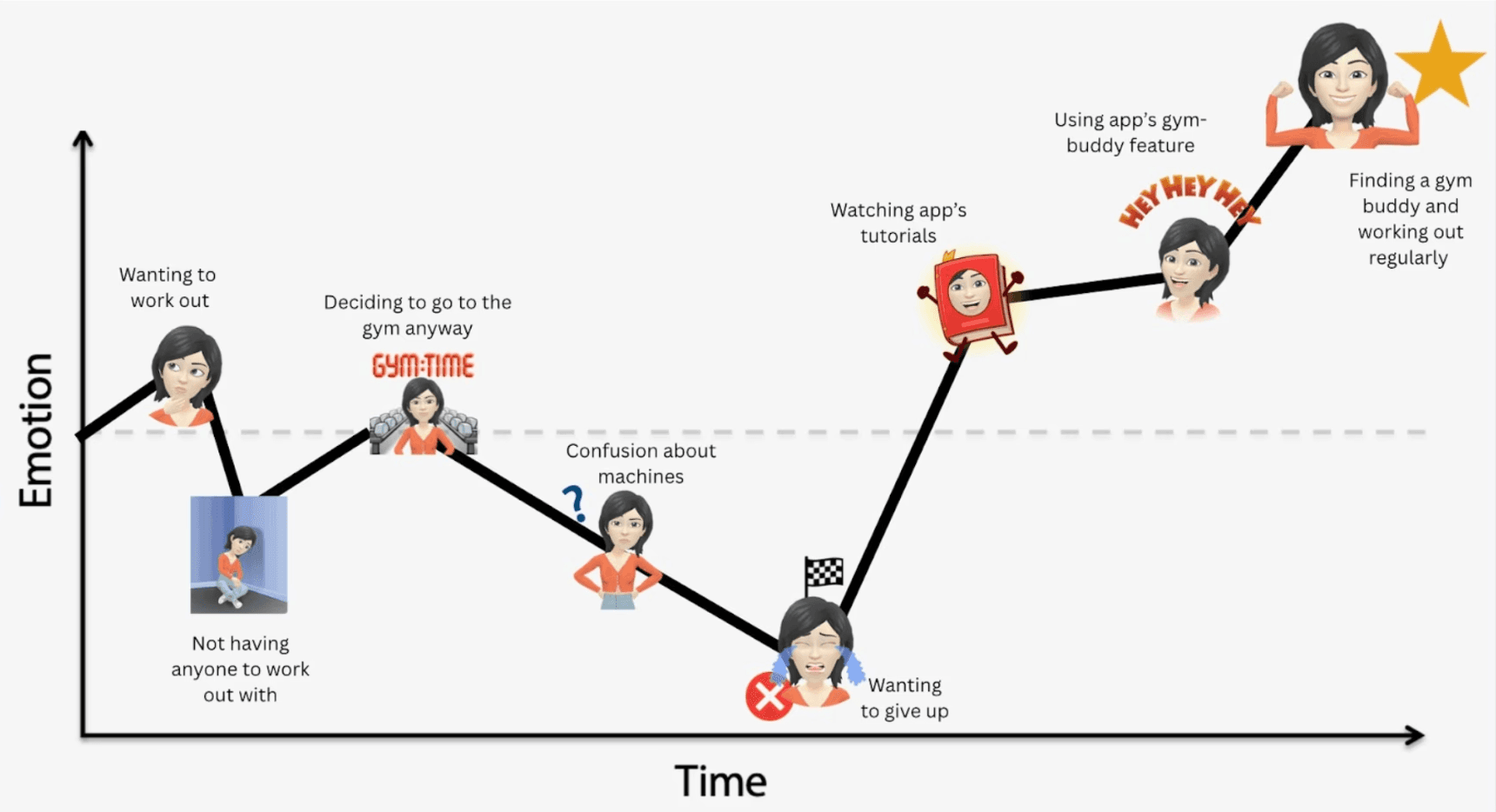
To understand the full user experience, we mapped out a student's emotional journey from wanting to work out to actually building a consistent habit. This visualization shows the critical pain points where students lose motivation and the moments where our solution can help turn things around.
Storyboards
With a clear understanding of the problem and user journey, we explored four different design approaches to solve gym intimidation and social isolation. Each storyboard represents a different "design hill"—distinct solutions to our problem.
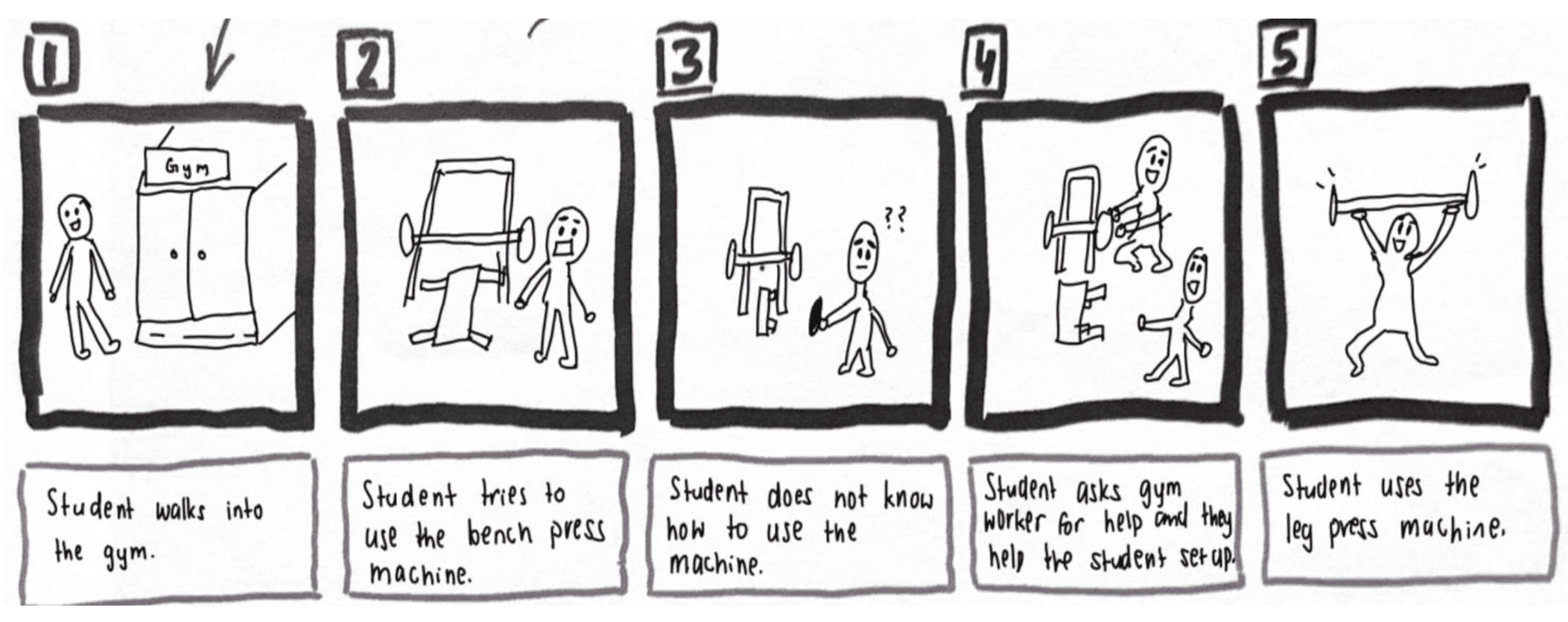
Storyboard 1: Ask a Gym Worker
A gym staff member helps students set up machines and provides in-person guidance.
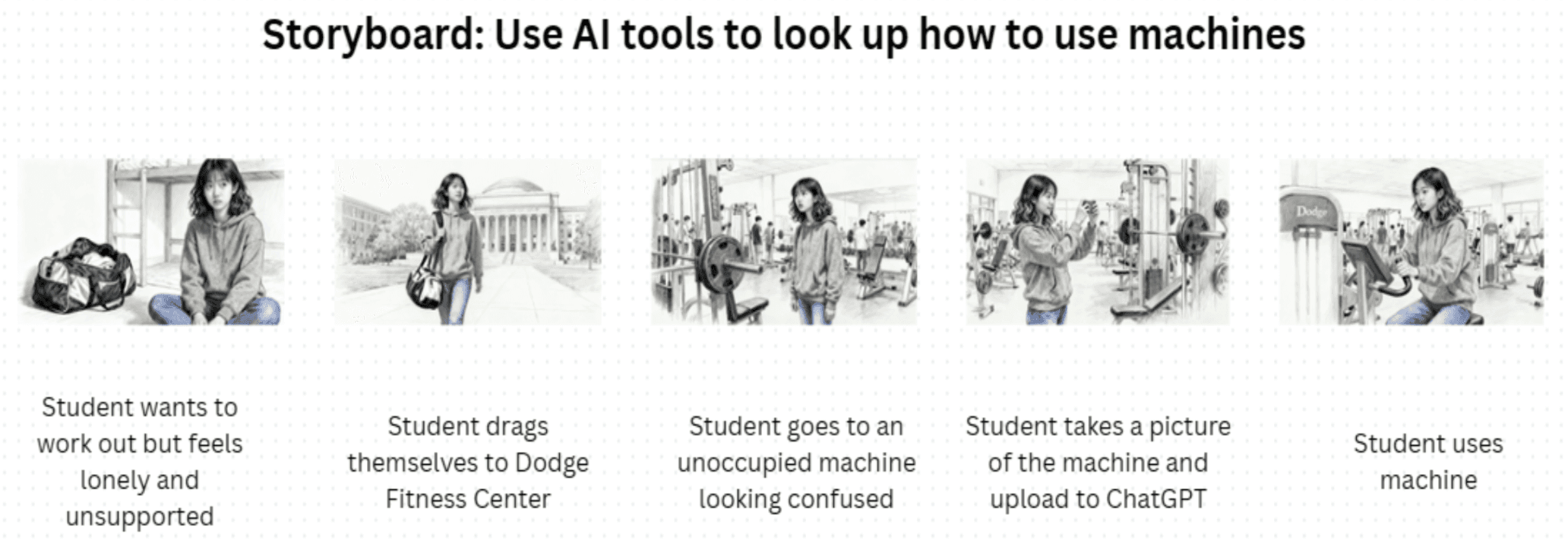
Storyboard 2: Use AI Tools to Look Up Machines
Students take a photo of a machine and use ChatGPT to get instructions on how to use it.
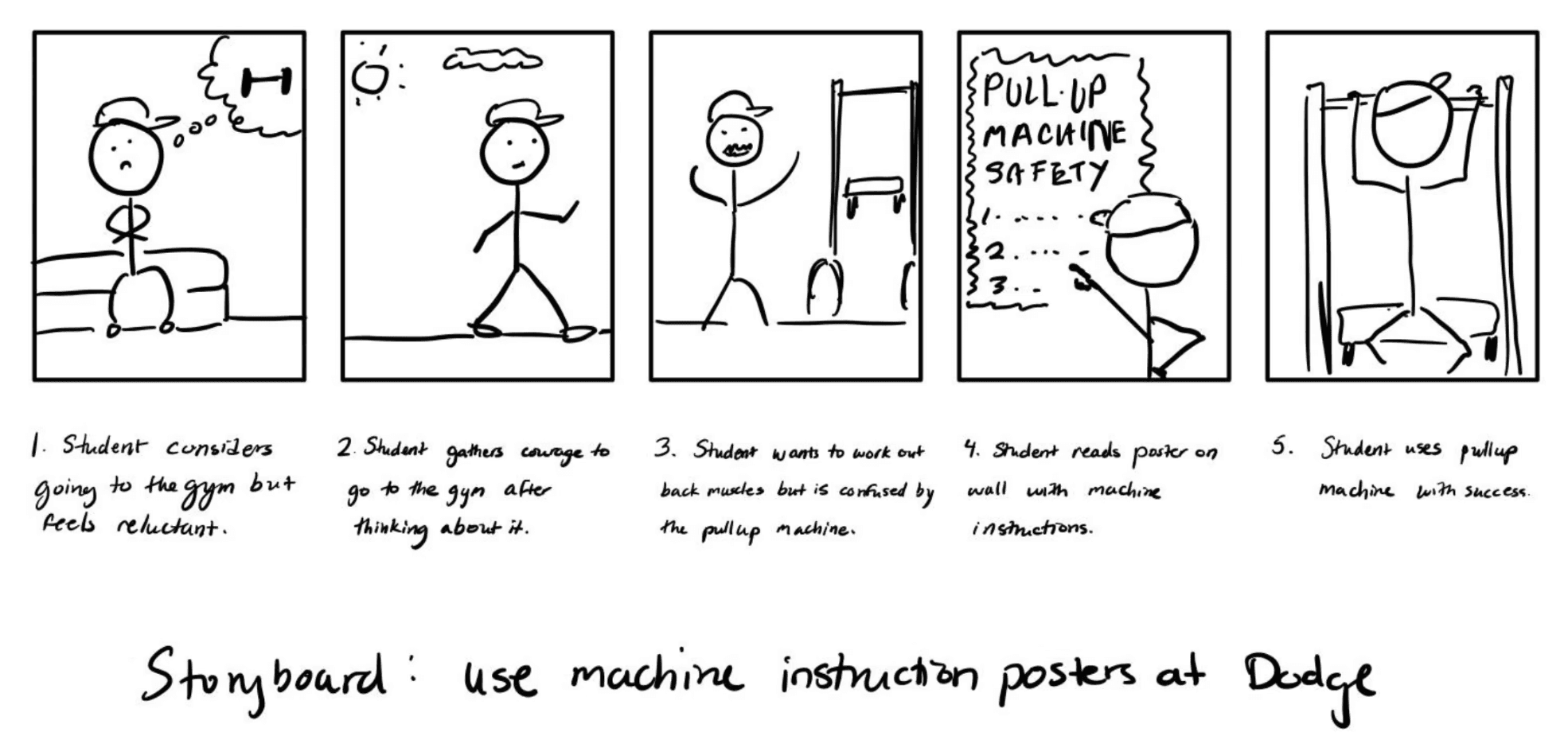
Storyboard 3: Use Machine Instruction Posters at the Gym
Physical posters with instructions are placed on each machine to guide students.
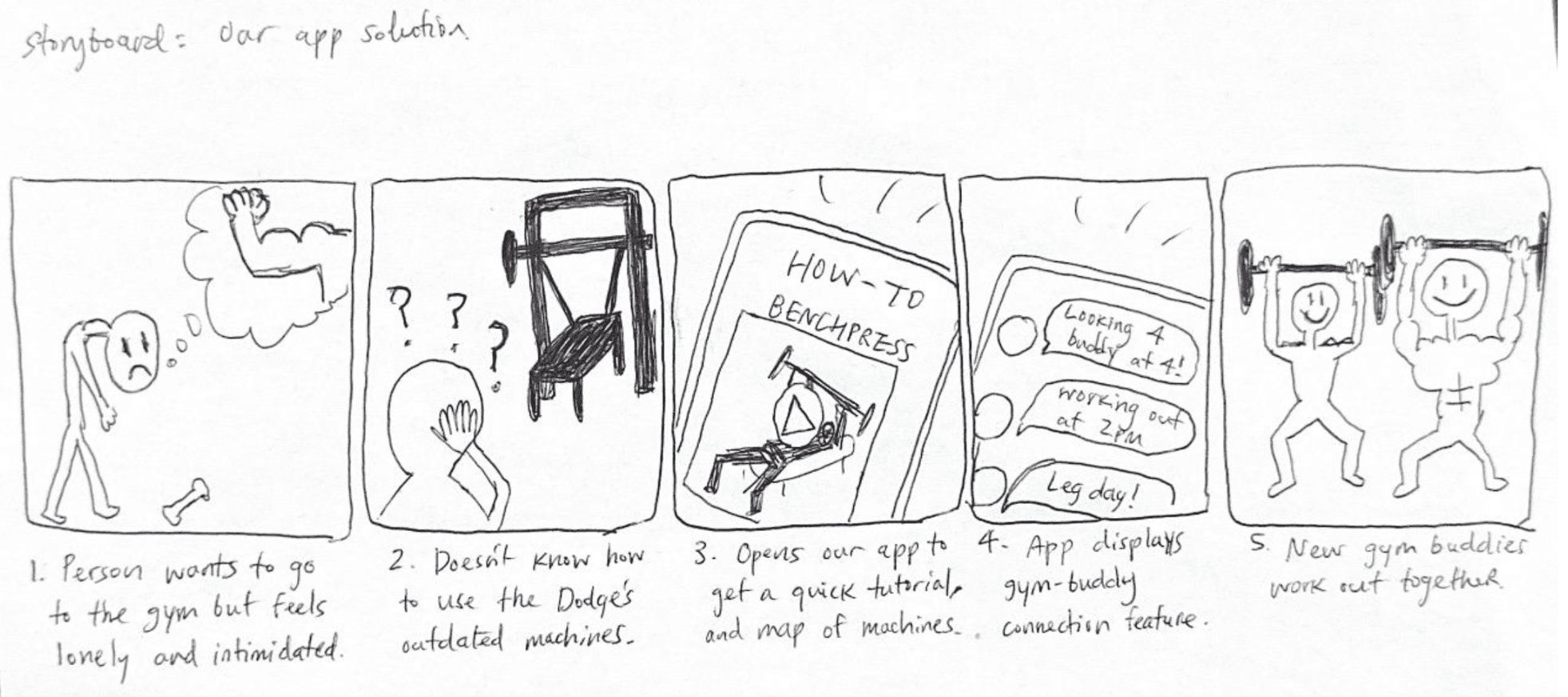
Storyboard 4: Our App Solution
Students use LionGains to get quick tutorials and connect with gym buddies for support and motivation.
After evaluating all four approaches, LionGains stood out as the strongest solution. It's the only approach that tackles both core problems—equipment confusion and social anxiety. Unlike hiring a trainer (expensive), using AI tools (time-consuming), or posting instructions (incomplete), LionGains offers an affordable, scalable, and community-driven solution for Columbia students.
Competitive Analysis
Before diving into design, we evaluated existing solutions in the market to understand the competitive landscape and identify where LionGains can fill a real gap.
Tutorials are too general, not Dodge-specific
Large community but no personal buddy matching
Depends free/paid
Solution
Equipment
Guidance
Social
Support
Cost
Flexibility
LionGains
Advantage
Limited to app workouts
Dodge-specific and peer matching
Pre-linked tutorials and buddy system
Affordable and community-driven
Equipment guidance and flexible matching
Highly flexible
Limited availability
Fixed schedules
Free
Free
$60-100+/session
None
One-on-one guidance and support
Available but requires quite a bit of time finding specific equipment
Excellent, real-time guidance
Depends on meeting's agenda
Strong community
Generic Fitness Apps (Nike Training Club, BetterMe)
AI Tools (ChatGBT, Google, Youtube)
Personal Trainer
Student Fitness Clubs
LionGains uniquely combines equipment-specific guidance with flexible peer matching—something no other solution offers. It's free, scalable, and built specifically for Columbia students.
DESIGN PROCESS
Design Method
click on sections to skip
Guiding Design Principles
Before diving into design, we established guiding principles to ensure our solution stayed true to the core problem and user needs. These principles kept us focused throughout the design process.
Community-Driven
Students learn better from and with each other. We prioritized peer support over expert guidance to create a relatable, trustworthy space.
Accessible & Simple Tutorials
Equipment tutorials should feel easy. We kept videos short, visual, and easy to understand so students don't feel overwhelmed.
Whether you're a beginner or experienced, LionGains should feel welcoming. We support all fitness levels equally.
Inclusive for All
Effortless Matching
Finding a gym buddy shouldn't be complicated. We made matching effortless so students can find people to work out with quickly and easily.
Smoke-and-Mirrors Prototyping
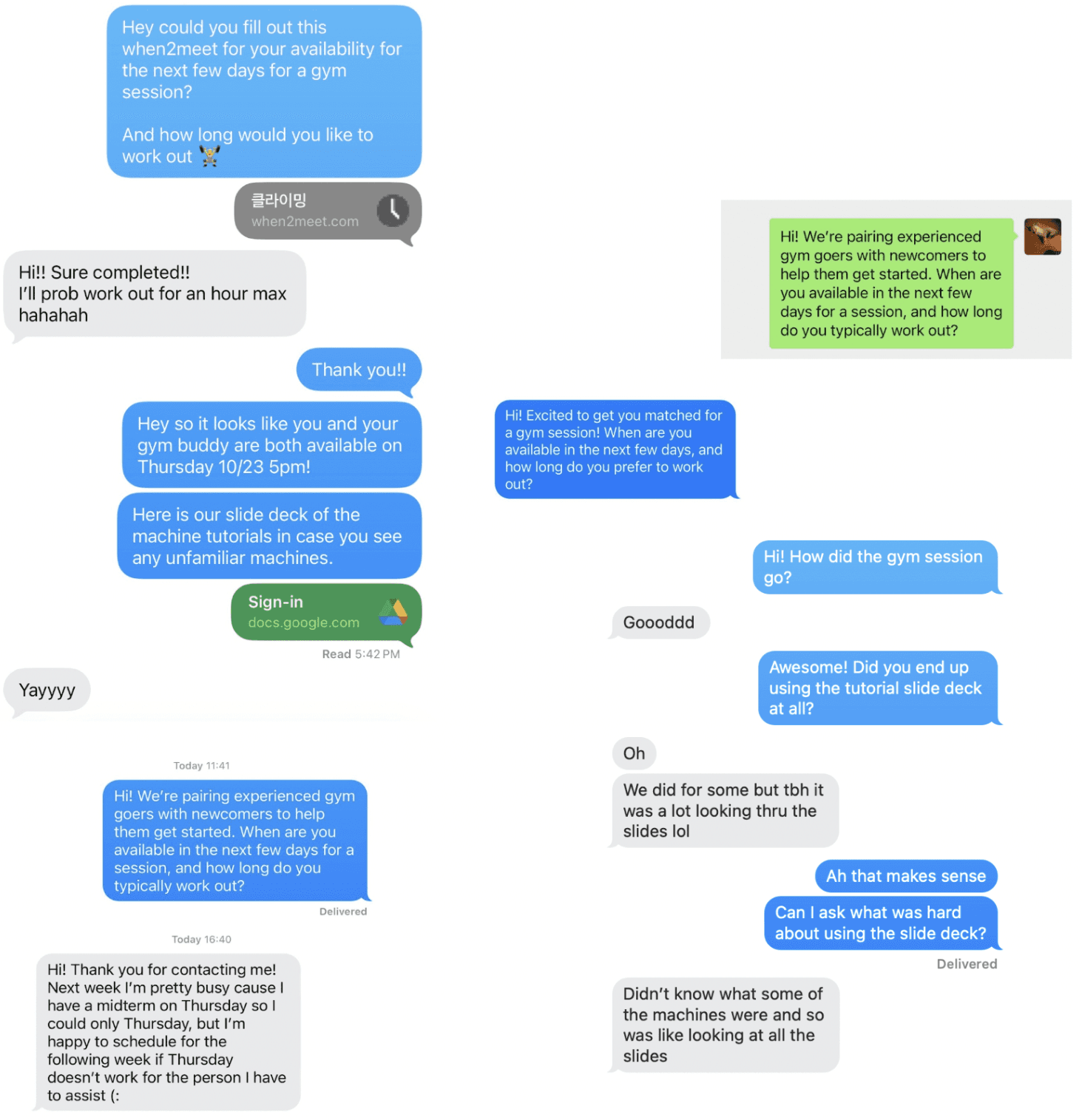
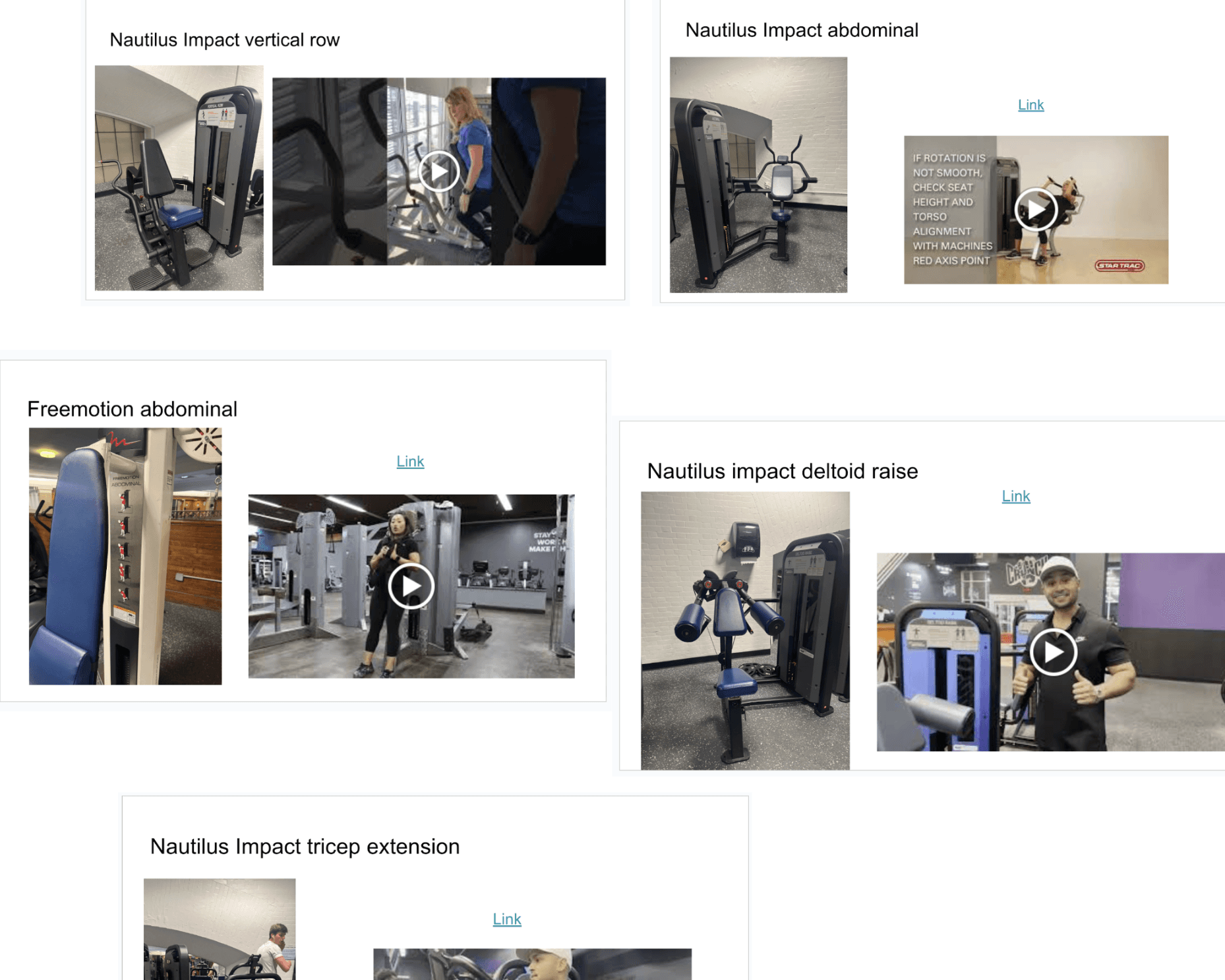
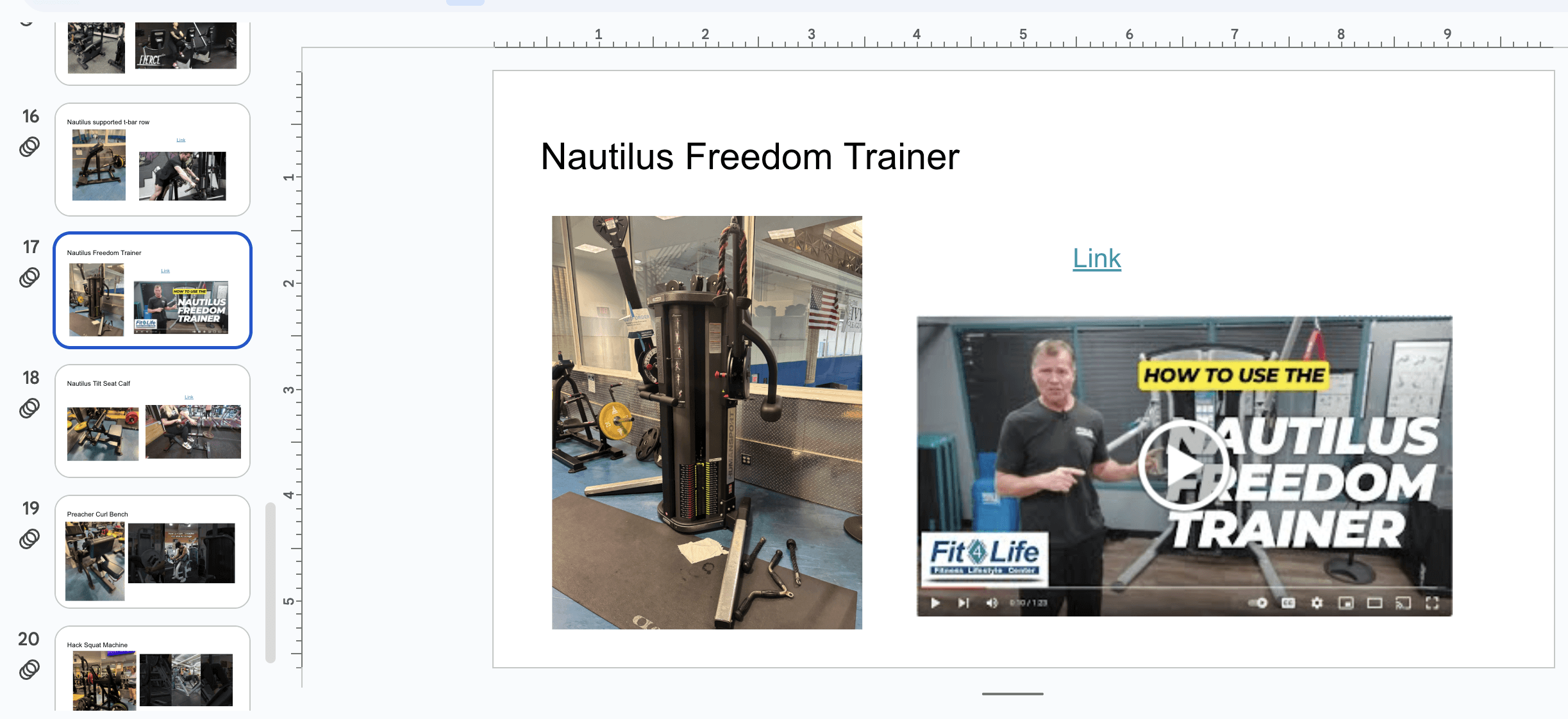
To validate our concept, we conducted smoke-and-mirrors prototyping by acting as the "schedulers." We asked students to fill out their availability using when2meet, then manually matched pairs and texted them gym session times. We also sent them a slide deck with photos of Dodge machines paired with tutorial videos.
What we tested:
Whether students would actually go to the gym with a matched buddy.
Whether the matching process felt natural enough to repeat.
If the tutorial slide deck was useful and easy to navigate.
What we Found:
Two pairs of students were successfully matched and went to the gym together
Students found the matching process easy and were open to doing it again.
Students found the slide deck tedious to use—flipping through slides to find specific machines was not productive.
While the buddy matching concept worked, users struggled with finding the tutorials. The slide deck format wasn't practical in a real gym environment. We needed to redesign how students access equipment tutorials to make it faster and more intuitive.
Low-fi Prototypes
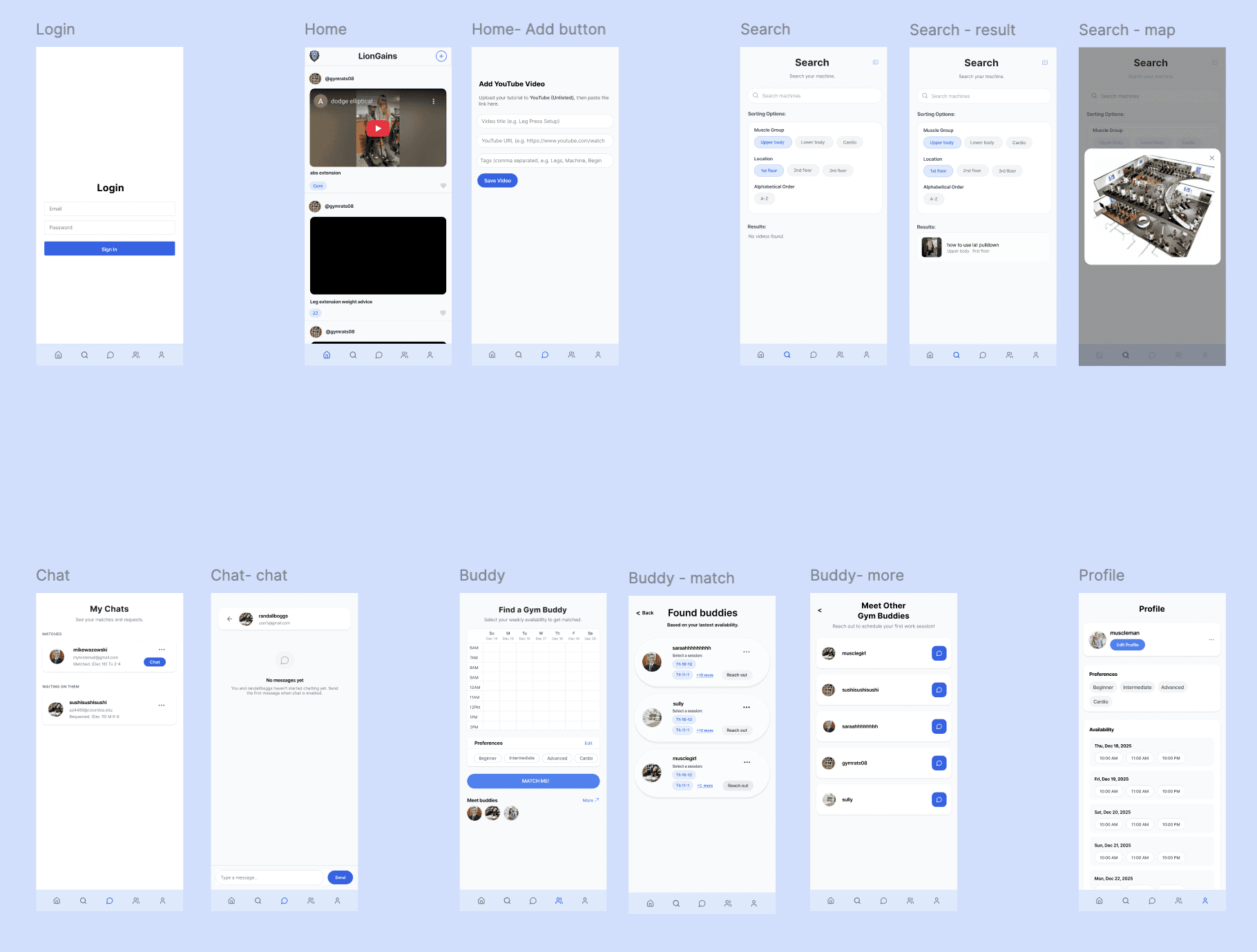
Based on this feedback, we designed four key low-fi prototype screens (Search, Profile, Find a Gym Buddy, and My Feed). For each screen, we made detailed notes of every feature, ranked visual cues by importance, and carefully considered information hierarchy to ensure our design was efficient and functional. This process helped us prioritize what matters most to users and eliminate unnecessary elements.
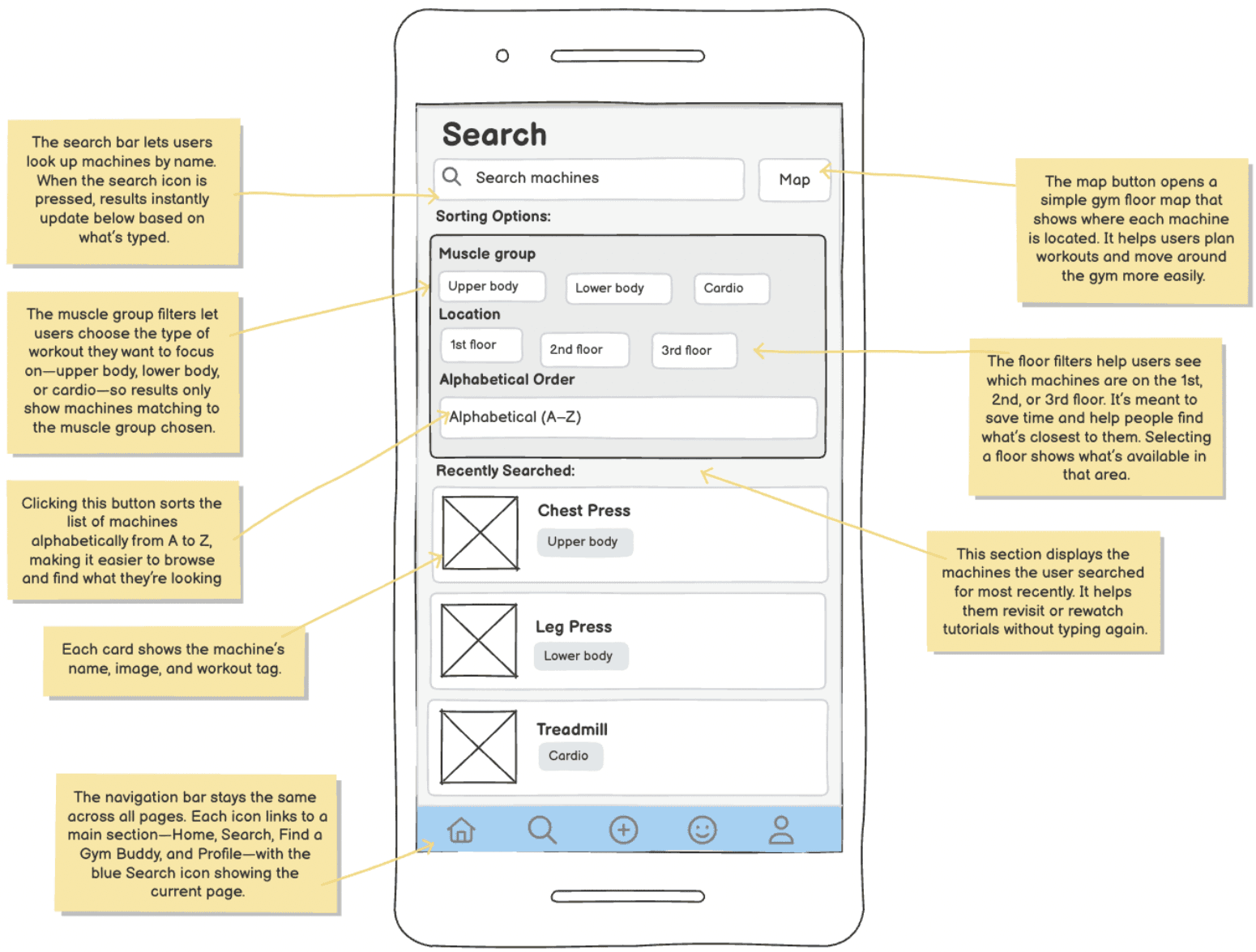
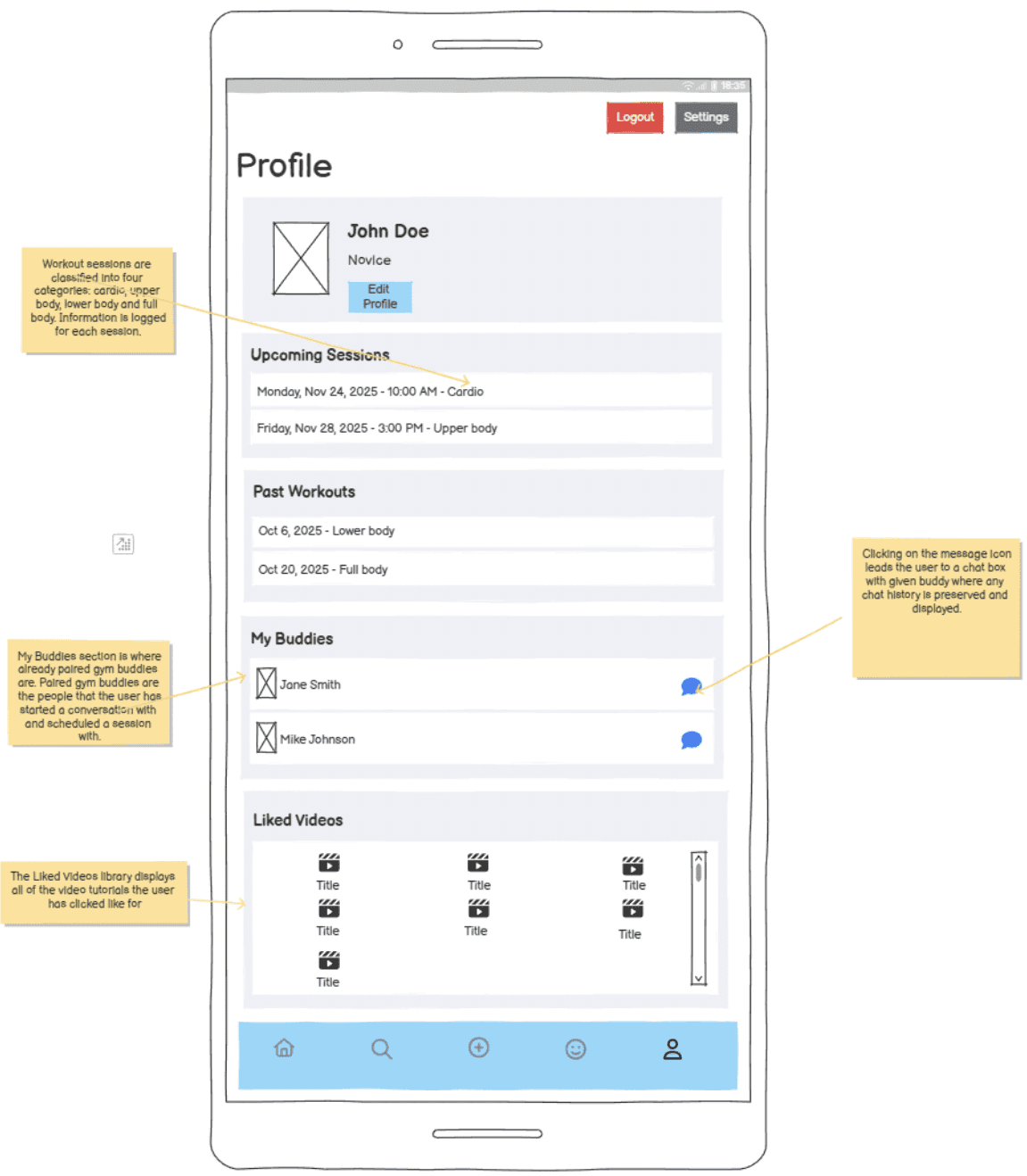
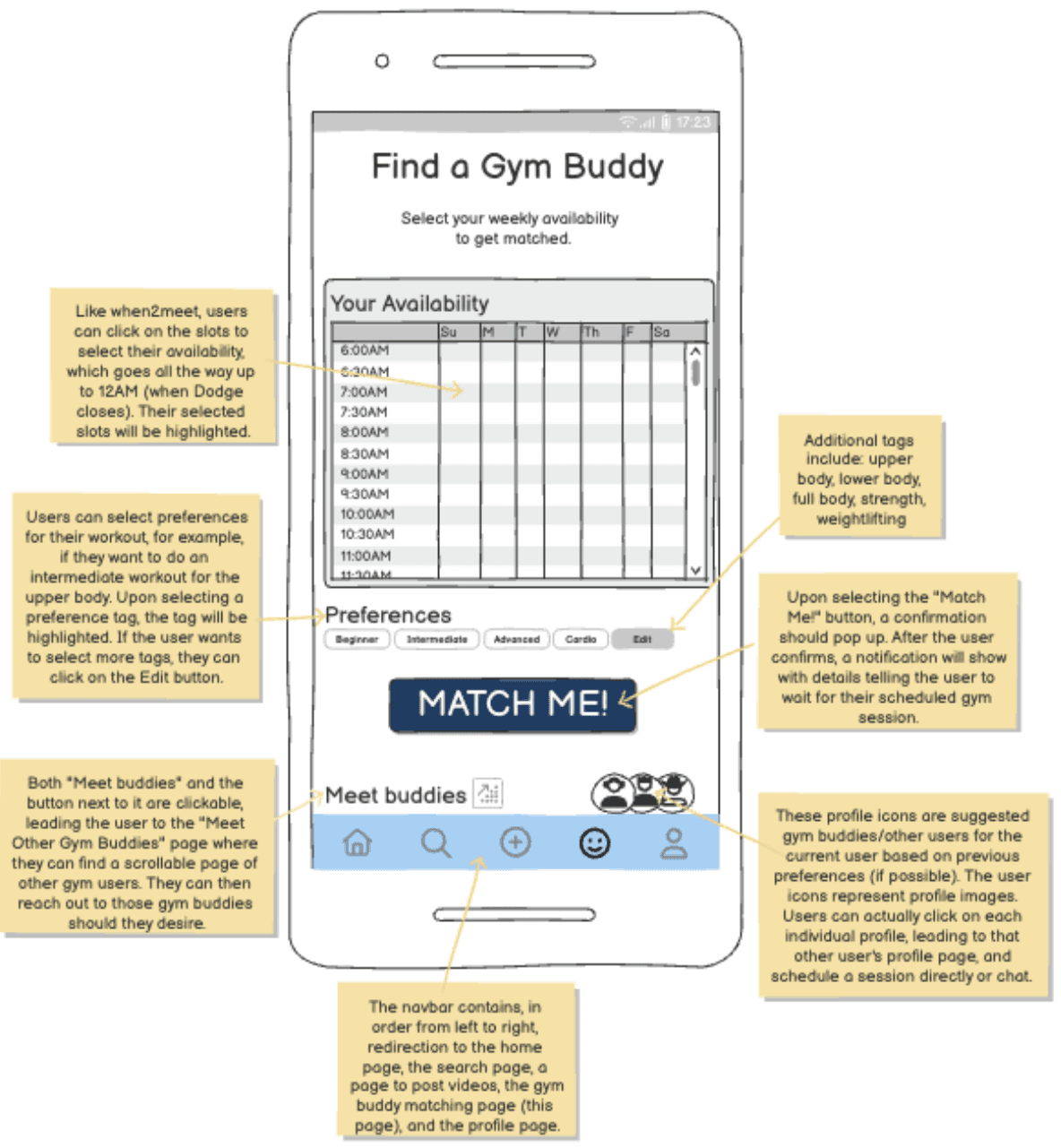
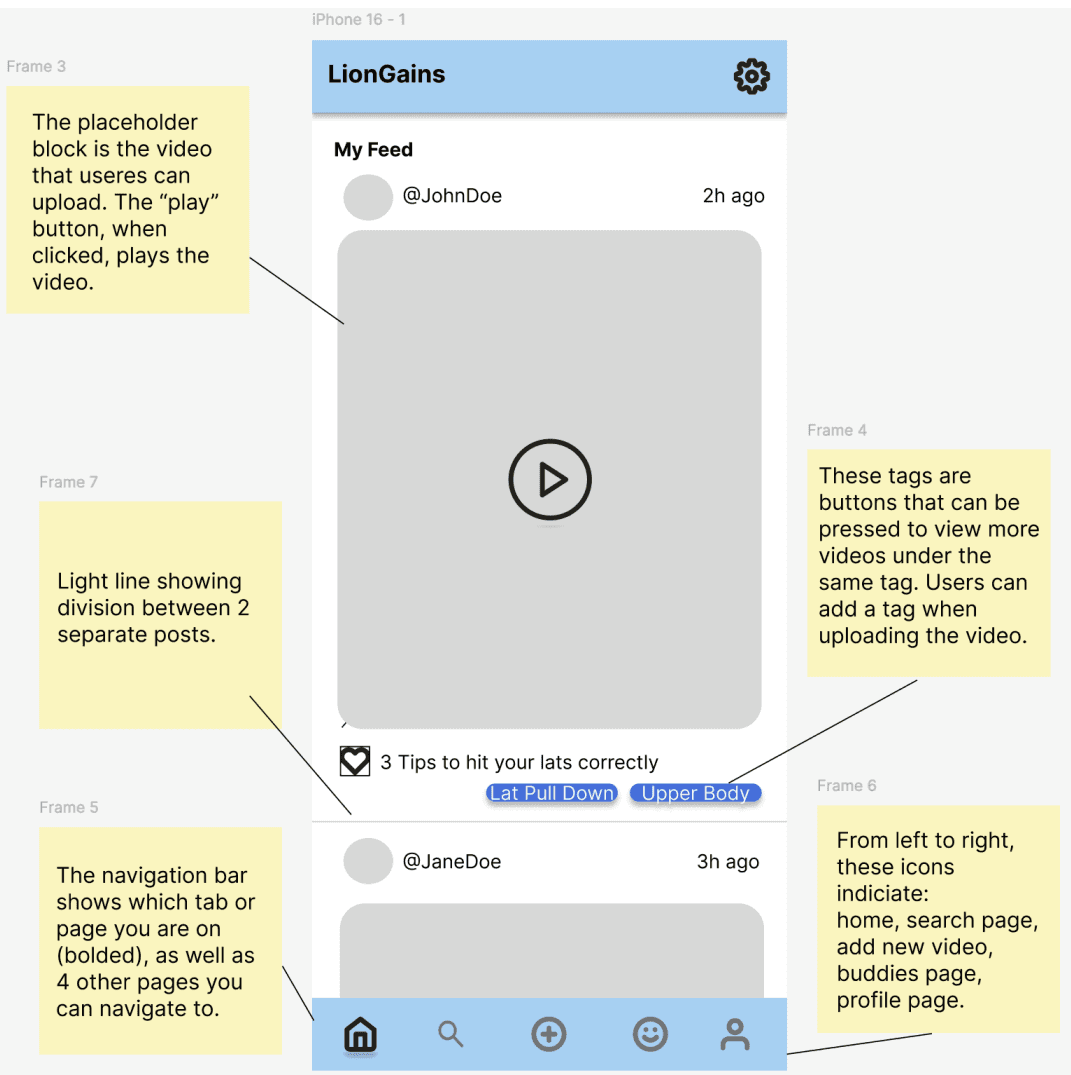
After these four main screens, we took into consideration our rankings and visual hierarchy to decide which features needed their own pages. We expanded into additional screens like Messaging, Posting, and Search Filters—each intentionally designed to reduce friction in the user journey.
User Testing & Iterations
We conducted user testing with our expanded low-fi prototypes to validate our design decisions. Based on feedback, we made three key iterations:
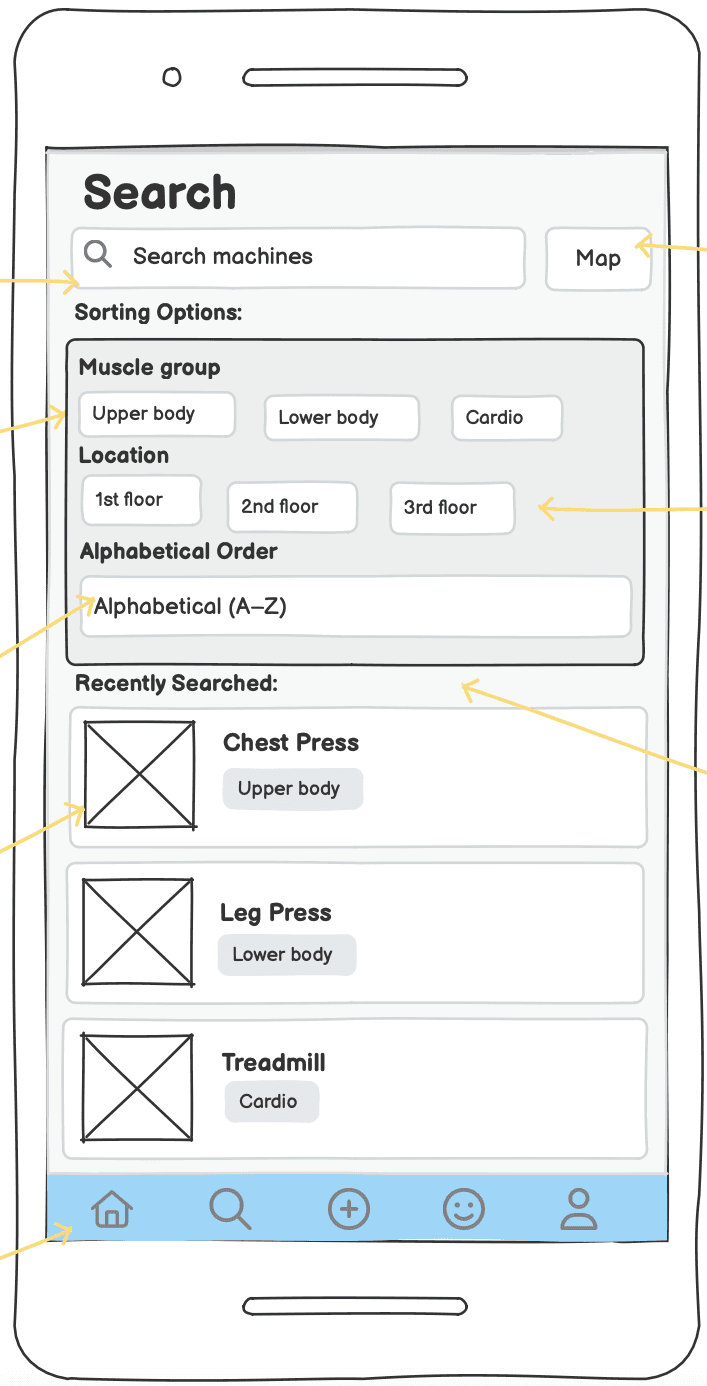
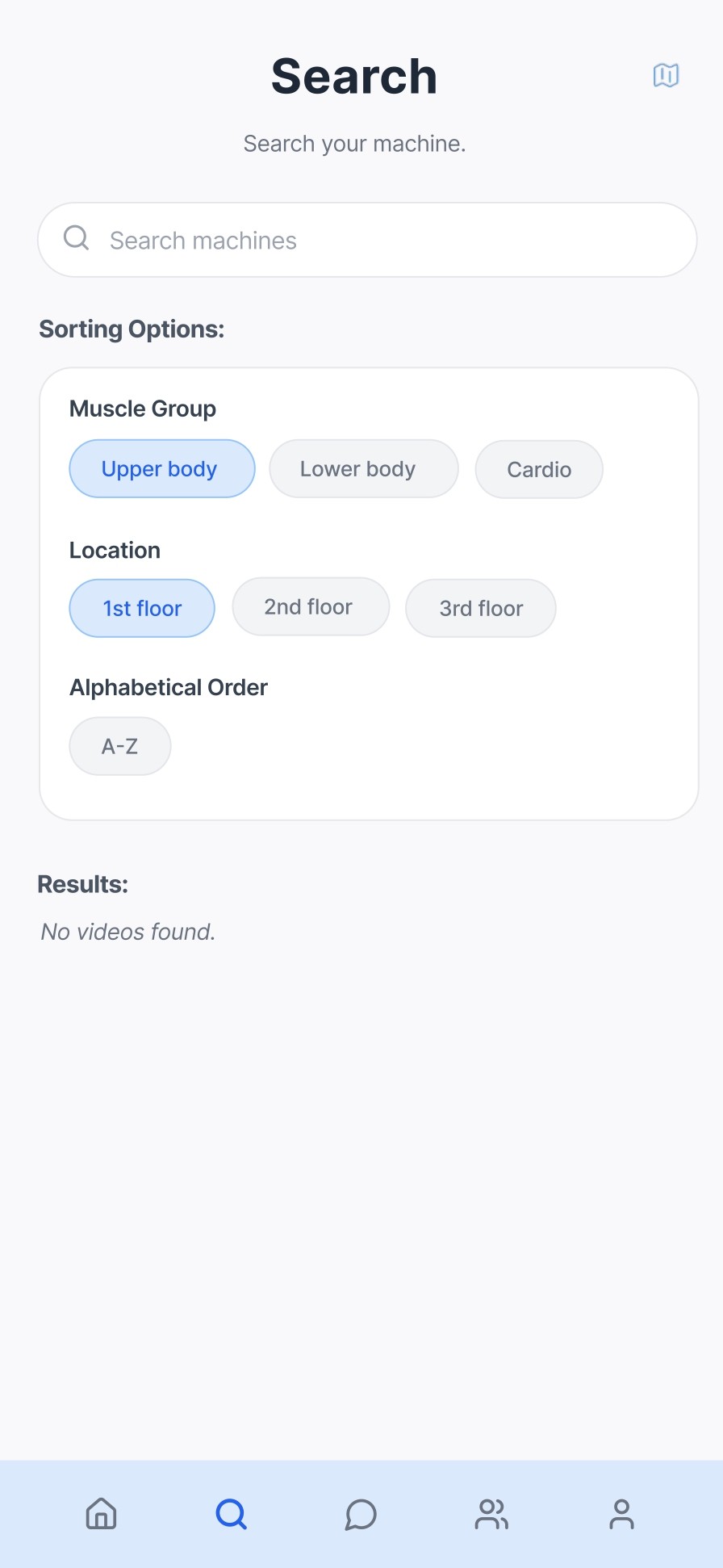
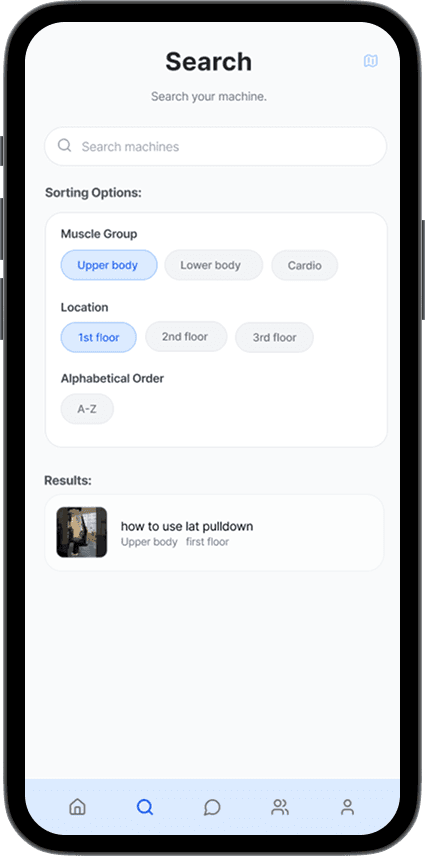
Location Filter
Users found too many results when searching for machines—they got overwhelmed by options.
Added a floor level filter on the search results page to narrow down by floor and muscle group.
Users could find specific machines faster and understand gym layout better. They could plan their workout routines by floors, which was more efficient.
Feedback:
Change:
Impact:
Better as a filter to know layout
Ineffective/just for viewing
1
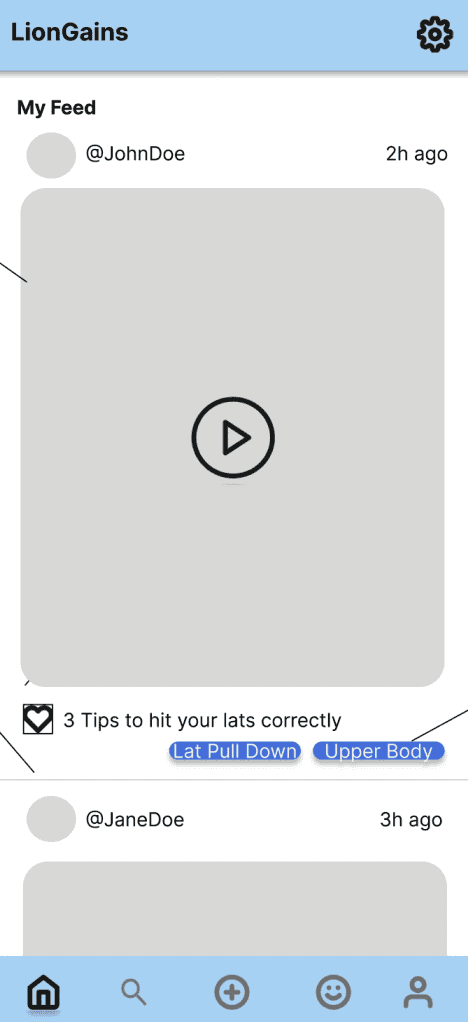
Upload Button on Feed Page
It feels more intuitive to add content when you're seeing content—users wanted to upload videos while browsing the feed, not from the bottom navigation.
Moved the "+" button to the top of the Home feed page, making it accessible for users, right where they are viewing content.
The user flow to upload content felt more intuitive, which made users more likely to share their own workout tutorial videos.
Feedback:
Change:
Impact:
2
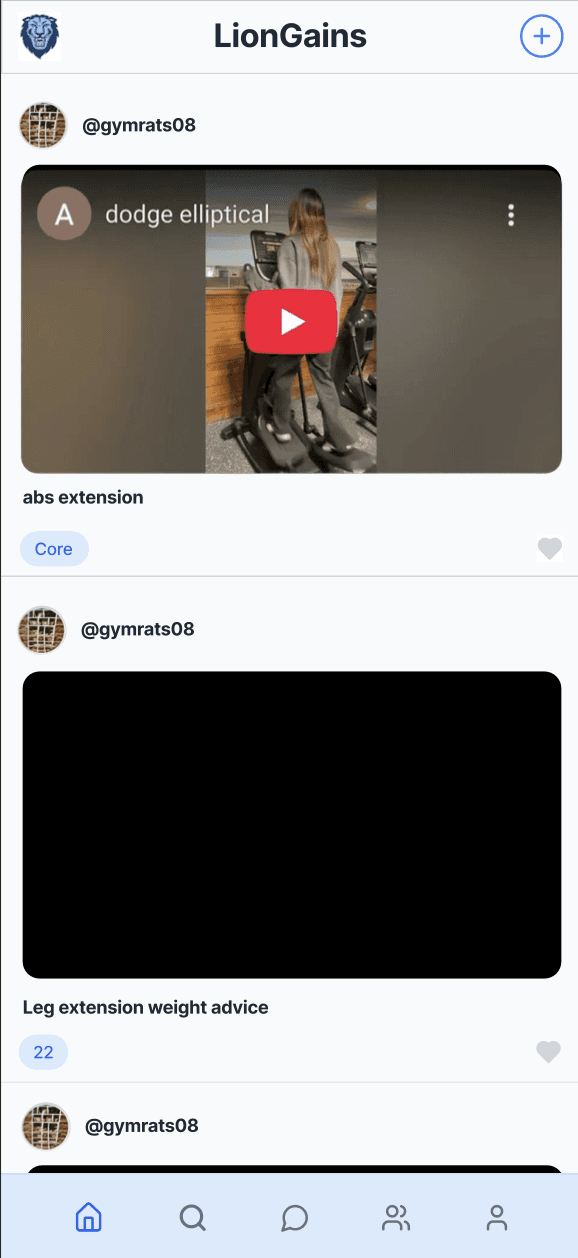
More intuitive on feed page
Awkward, not a main page, crowds up the nav. bar
Features User Appreciated:
Throughout testing, users highlighted features they loved:
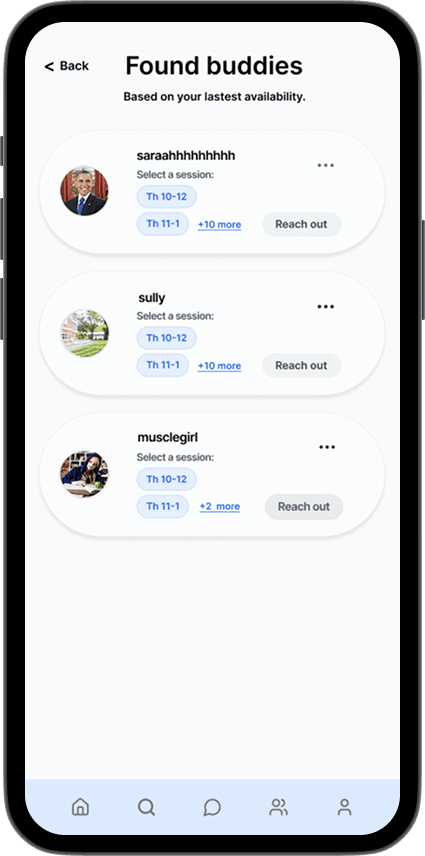
Intuitive Buddy Matching
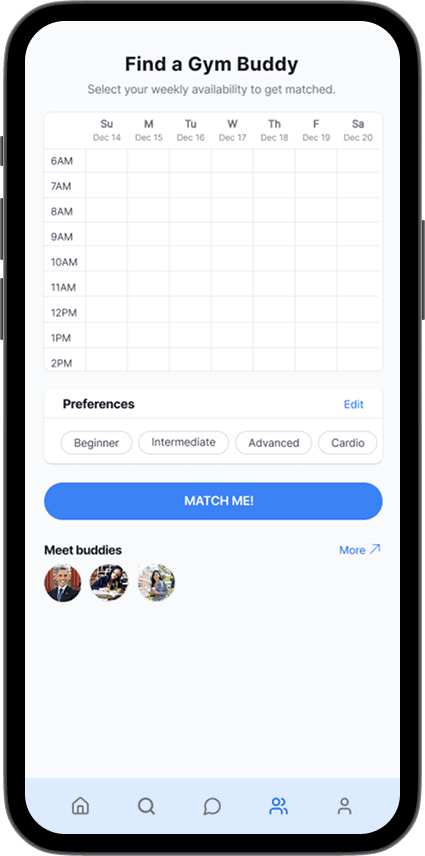
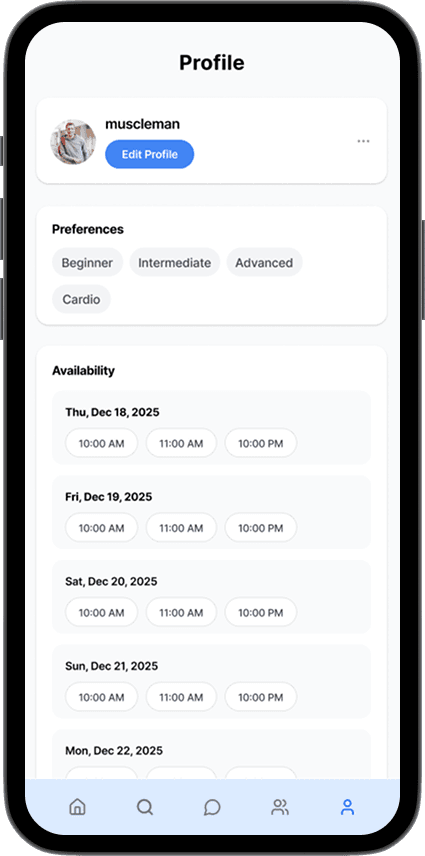
Users loved how easy it was to find gym partners based on availability and fitness goals. With the scheduler, they could see who fits their schedule best and has similar fitness goals, so everyone is on the same page and can find a good workout buddy.
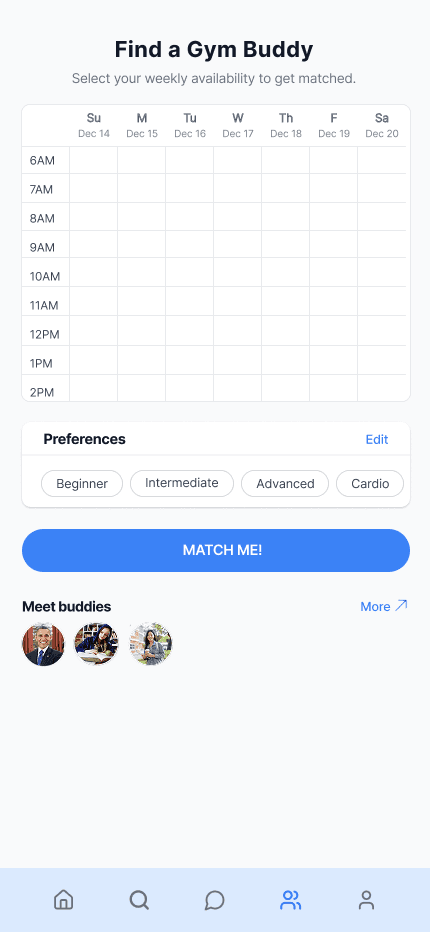
Can put your whole schedule in day-to-night to find the perfect time
See who has similar fitness goals
Community-Driven Content
Users felt motivated by peer-uploaded tutorials and connected to their community. They loved the help-out culture the app promoted on campus.
Videos uploaded by students for students
Students cans post advice to help their peers out
FINAL PRODUCT (TA-DA!)
🪄
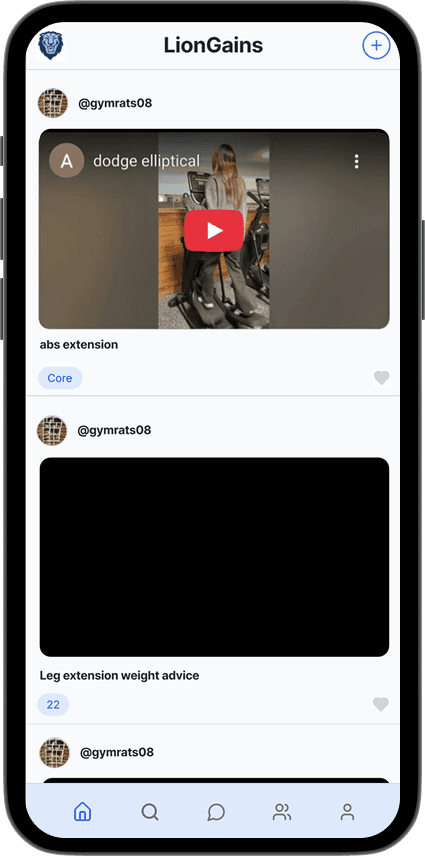
Home Page/Feed
Matches
Find a Buddy
Profile
Search
Messages
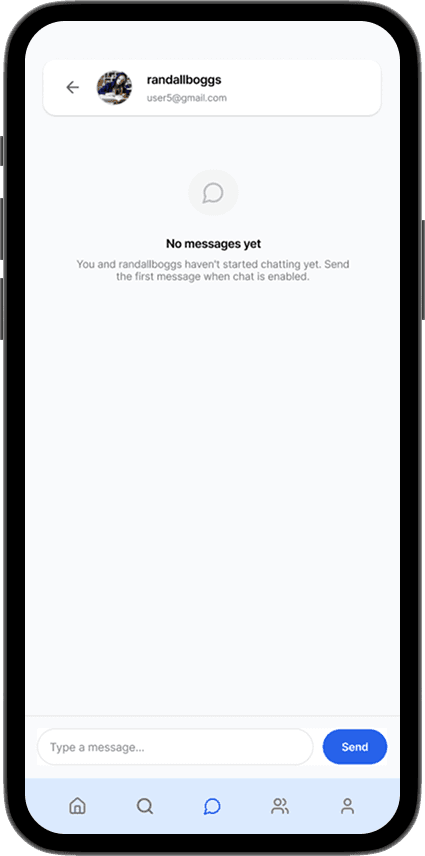
LionGains is a fully functional mobile app that brings our design solution to life. Users can match with gym buddies based on availability and fitness goals, discover peer-uploaded workout tutorials, and build a consistent workout routine with community support.
We made a video of our app. Click to watch!
Try out our app here!
GitHub Repository ↗
REFLECTIONS
What we learned:
1
2
3
4
Research is Important: Do Your Due Diligence.
Design to Help People
Community-Driven Design
Conducting research isn't just about understanding the topic—it's about respecting our users and the space we're entering. Contextual inquiry revealed that gym intimidation was about feeling alone, not just confusion.
Testing early leads to better solutions. Real user feedback shaped the entire product. Listening is more important than being right.
Design has the power to remove barriers to wellness and make fitness accessible. LionGains isn't just an app—it's about confidence and inclusion.
Iteration Over Perfection
Peer support is more powerful than expert guidance. When we centered student voices and peer-uploaded tutorials, users felt connected and motivated to participate. Community creates an impact that experts alone cannot.
A SPECIAL THANK YOU
💌
Thank you to my wonderful, AMAZING team! I am so grateful that I got the opportunity to build such a fun product with all of you.
Thank you to our mentor Iris for all your advice and support during our checkpoints. A BIG thank you to Professor Brian Smith for such a wonderful semester! Your class has deepened my interest in design, and I learned so much from your class.
And thank you to anyone who stayed this far to read. ☺